Kalcee HR Software Solutions – The Smartest Employee Management System for Modern Businesses

Managing employees manually is time-consuming, error-prone, and inefficient – especially in growing businesses. From attendance tracking to salary calculations, HR teams often struggle with spreadsheets, paperwork, and constant follow-ups. This is where a powerful Employee Management System like Kalcee HR Software Solutions becomes essential.

Kalcee HR Software Solutions is an advanced HR management tool designed to simplify daily HR operations, automate tasks, and improve accuracy across your organization. Whether you run a startup, SME, or a large company, this software streamlines employee records, attendance, payroll, leaves, and more -all in one place.

Kalcee HR Software Solutions stands out because it offers accuracy, automation, and complete visibility into your workforce, helping businesses save time and operate efficiently.

Key Features of Kalcee HR Software Solutions

1. Digital Attendance Management

Say goodbye to manual registers. Kalcee HR Software allows you to record and track employee attendance digitally, including:

  • Late entries
  • Early exits
  • Full-day/half-day attendance
  • Absences

This ensures precise records and eliminates confusion.

2. Automatic Salary & Payroll Management

Generate accurate monthly salaries in one click, based on:

  • Attendance
  • Leave balance
  • Holidays
  • Deductions

This automated payroll system removes calculation errors and saves hours of HR workload.

Kalcee HR Software Solutions – Employee Management System

3. Employee Database Management

Maintain complete employee information in one secure place, including:

  • Personal details
  • Documents
  • Salary history
  • Joining & experience records

This digital database ensures data security and quick access whenever required.

4. Leave Tracking Facility

Manage employee leave requests seamlessly. HRs can approve or reject leaves with transparency, and employees can check their leave balance easily reducing back-and-forth communication.

5. Shift & Scheduling Management

Assign shifts effortlessly and avoid miscommunication. The software helps HR teams:

  • Create work schedules
  • Manage shift rotations
  • Monitor daily working hours

Perfect for companies that run multiple shifts.

6. Printable Salary Slips & HR Reports

Create professional, branded salary slips and HR reports directly from the system. You can download or print them instantly for audits, employee requests, and compliance purposes.

7. Multi-Device Accessibility

No complex setup required. Kalcee HR Software Solutions works smoothly on laptops and desktops, ensuring easy access for HR teams anytime, without technical dependency.

Why Choose Kalcee HR Software Solutions?

✔ 100% accurate attendance & payroll
✔ Fully digital employee management
✔ Faster HR decision-making
✔ Saves time and reduces workload
✔ Secure and reliable data handling
✔ Enhances transparency across the organization
✔ Ideal for businesses of all sizes

If you’re looking for a simple, fast, and reliable Employee Management System, Kalcee HR Software Solutions is the perfect choice. It automates attendance, payroll, records, leaves, and scheduling — making HR operations smoother and more efficient. Upgrade your business by booking a Free Demo Today via 9653590655.

* The Content stated above is for informational purpose only. Expert Software Team is not responsible if any part of content found meaningless in any manner or condition.


Kalcee HR Software Solutions: The Smart HR & Payroll System for Businesses

Managing employees for small businesses often becomes complicated when everything is handled manually—attendance registers, handwritten salary sheets, leave tracking, and data entry errors. To simplify HR tasks and improve accuracy, Kalcee HR Software Solutions offers a powerful and easy-to-use HR management tool specially designed for local businesses, shopkeepers, and small enterprises.

Whether you run a retail shop, coaching center, salon, clinic, café, or a small manufacturing unit, Kalcee HR Software Solutions helps you manage employees smoothly and professionally.

Why Choose Kalcee HR Software Solutions?

Kalcee HR Software is built to provide all essential HR functions in one platform, helping businesses save time, reduce paperwork, and maintain accuracy without needing technical knowledge.

✔ Digital Attendance Management

Record and track daily attendance, late entries, early exits, and absences directly in the system. No more manual registers or confusion.

✔ Automatic Salary & Payroll Management

Generate accurate monthly salary in just one click based on attendance, leaves, and holidays — eliminating calculation errors.

✔ Employee Database Management

Store and maintain employee details, documents, salary history, and joining records in a secure digital format.

HR management system dashboard by Kalcee HR Software Solutions

✔ Leave Tracking Facility

Manage leave approvals efficiently.

✔ Shift & Scheduling Management

Easily assign employee shifts and monitor work schedules without confusion or miscommunication.

✔ Advance Payment & Loan Management

Track employee salary advances, deductions, and settlements in real time for complete financial clarity.

✔ Printable Salary Slips & Reports

Create and print professional salary slips and employee reports with business branding.

✔ Multi-Device Accessibility

Use the software easily on desktop or laptop—no complex setup or technical dependency.

Who Can Use Kalcee HR Software?

  • Retail & Grocery Shops
  • Coaching Centers & Institutes
  • Restaurants & Cafés
  • Clinics & Diagnostic Labs
  • Beauty Parlours & Boutiques
  • Small Manufacturers & Agencies
  • Real Estate & Security Agencies

If you are looking for a reliable HR management system to handle attendance, payroll, employee records, and scheduling efficiently, Kalcee HR Software Solutions offers a complete and easy-to-use solution. Book a Free Demo Today via 9653590655

By adopting Kalcee HR Software Solutions, businesses can digitize HR processes, reduce errors, and manage their workforce more effectively.

* The Content stated above is for informational purpose only. Expert Software Team is not responsible if any part of content found meaningless in any manner or condition.
Say Goodbye To Attendance Registers With Kalcee HR Software

Running a small business is not easy especially when it comes to managing employees. For local shopkeepers or small business owners, handling attendance, payroll, and leaves often leads to confusion, errors, and time loss. Traditional attendance methods like paper registers or verbal reporting create problems such as time theft, inaccurate salary calculations, and lack
of transparency. This is where Kalcee HR Software Solutions brings a smart and modern change.

It is an easy-to-use HR management system specially designed for small business owners, shopkeepers, and local market businesses. It helps manage employee registration, daily attendance, payroll, leave sand performance all from a single digital platform.

How the Kalcee’s HR Biometric Punch System Works?

  1. Employees punch their fingerprint at the start and end of work
  2. The device captures accurate timing
  3. The data goes directly to Kalcee HR Software, without paperwork
  4. Owners can view reports anytime through mobile or computer
  5. Salary is automatically calculated based on working hours

No more confusion, no more cheating, and no more arguments about attendance!

hr software management system

The most powerful feature is its Biometric Attendance Machine, which allows employees to Punch In and Punch Out using fingerprint scanning. The data is automatically synced into the Kalcee software in real time with no manual entry needed.

Key Features of Kalcee HR Software Solutions

Automated Attendance Tracking
Eliminates manual registers and prevents fake time entries.
Easy Payroll Calculation
Automatically calculates salary based on exact working hours, overtime, and leaves.
Biometric Integration
Accurate and secure as it is impossible to manipulate.
Employee Records & Shift Scheduling
Manage leave requests, shifts, and employee profiles smoothly.
Real-time Dashboard & Reports
Daily, weekly, and monthly attendance reports available instantly.
Multi-device Access
Works on mobile, desktop, laptop, and tablet.

Whether you run a grocery shop, salon, boutique, pharmacy, hardware store, mobile shop, or small manufacturing unit, Kalcee HR Software Solutions helps you manage employees professionally and effortlessly. With biometric punch attendance, you get accuracy, transparency, and control over your workforce with saving time and increasing profits.


Running a shop is already stressful, don’t let attendance and salary calculation add more pressure. Contact Today to schedule a free demo: 9466135659

* The Content stated above is for informational purpose only. Expert Software Team is not responsible if any part of content found meaningless in any manner or condition.
How to create Designation in Nevino HR Software

Designation of an employee is very important part of an organization as it relates to the employee. In this blog we will learn that how we can create designation in Nevino Hr Software.

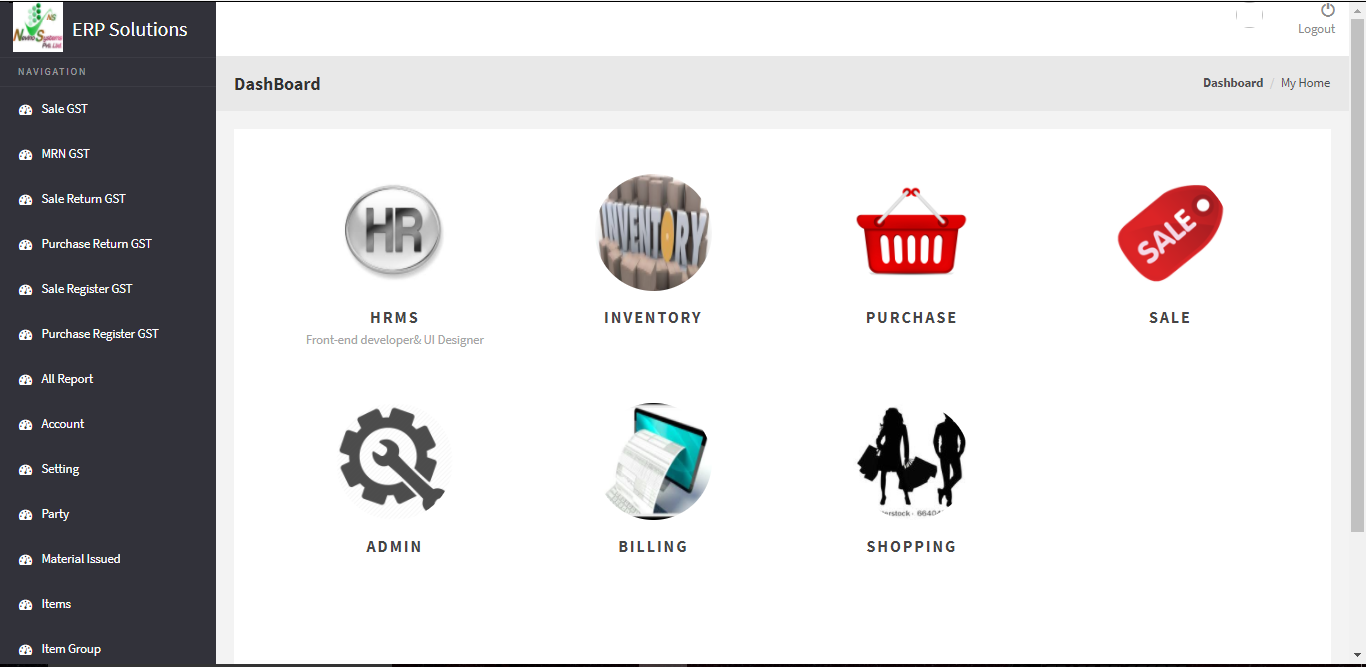
Step 1. When you have login to the Nevino HR Software the window as below will appear.
main hr window

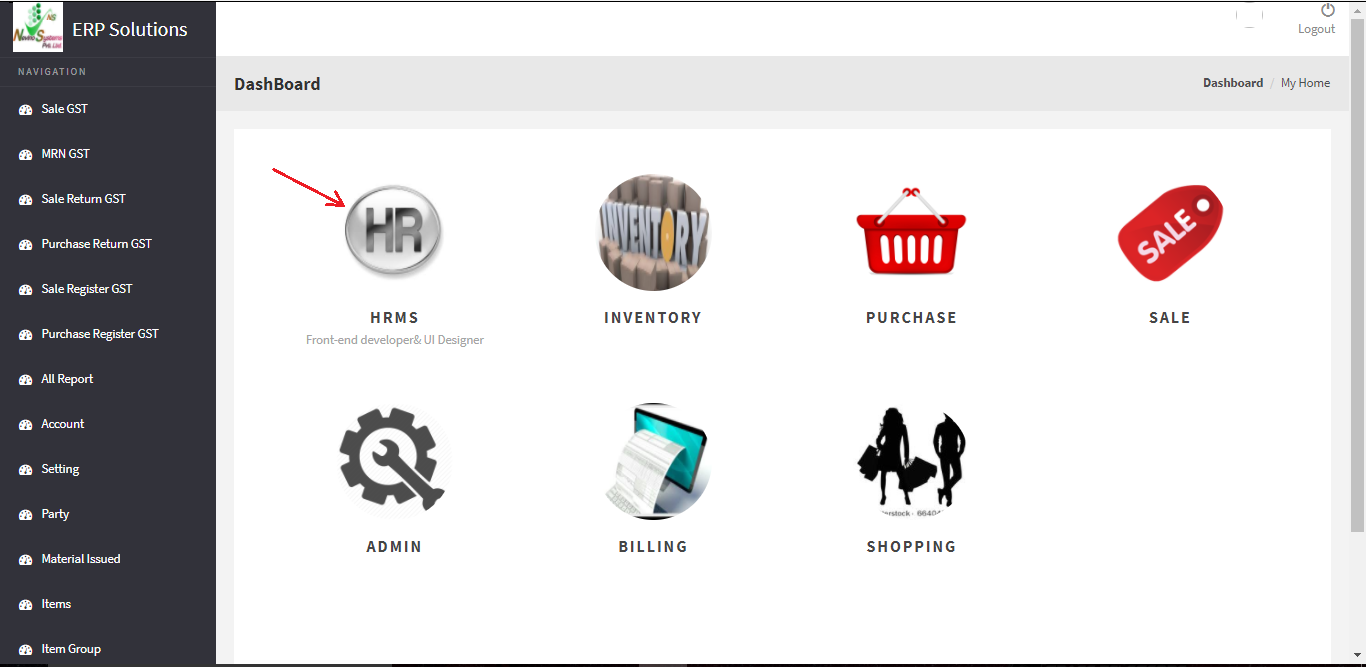
Step 2. Click on ‘HR’ icon as indicated in below screen shot.
hr icon

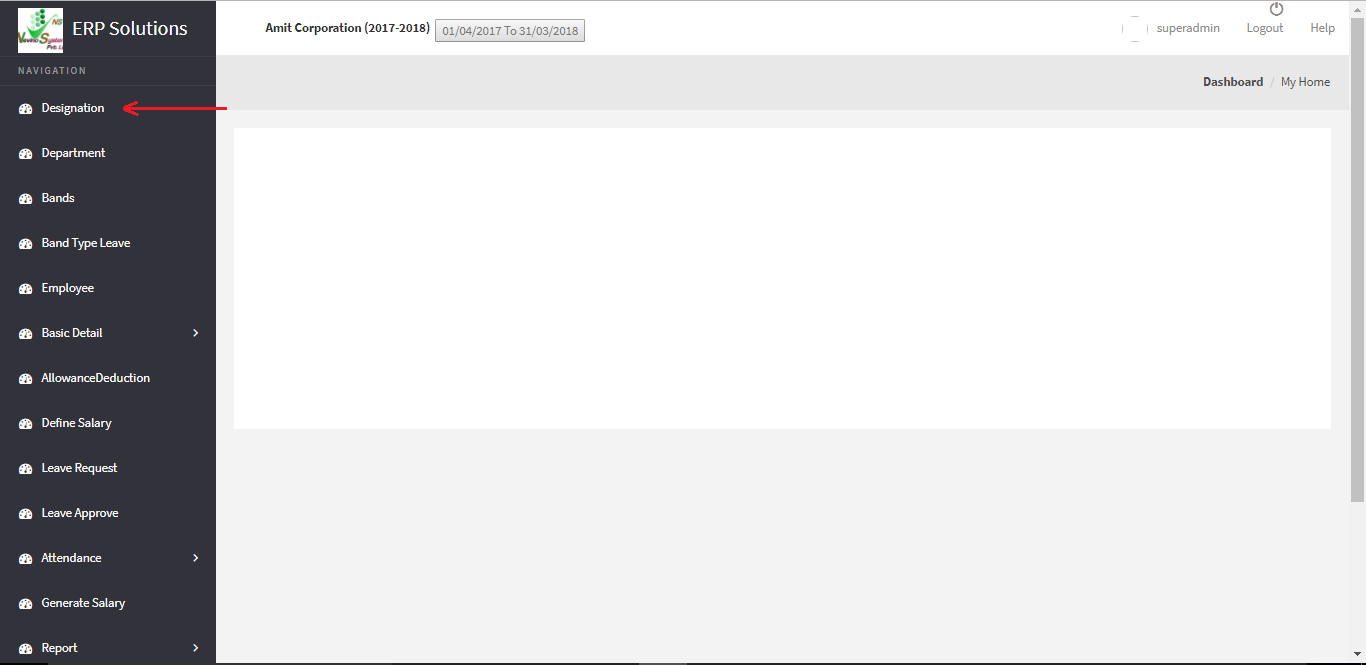
Step 3. When the ‘HR’ icon is clicked a new window will appear as below where you must click on ‘Designation’ as indicated below.
hr designation option

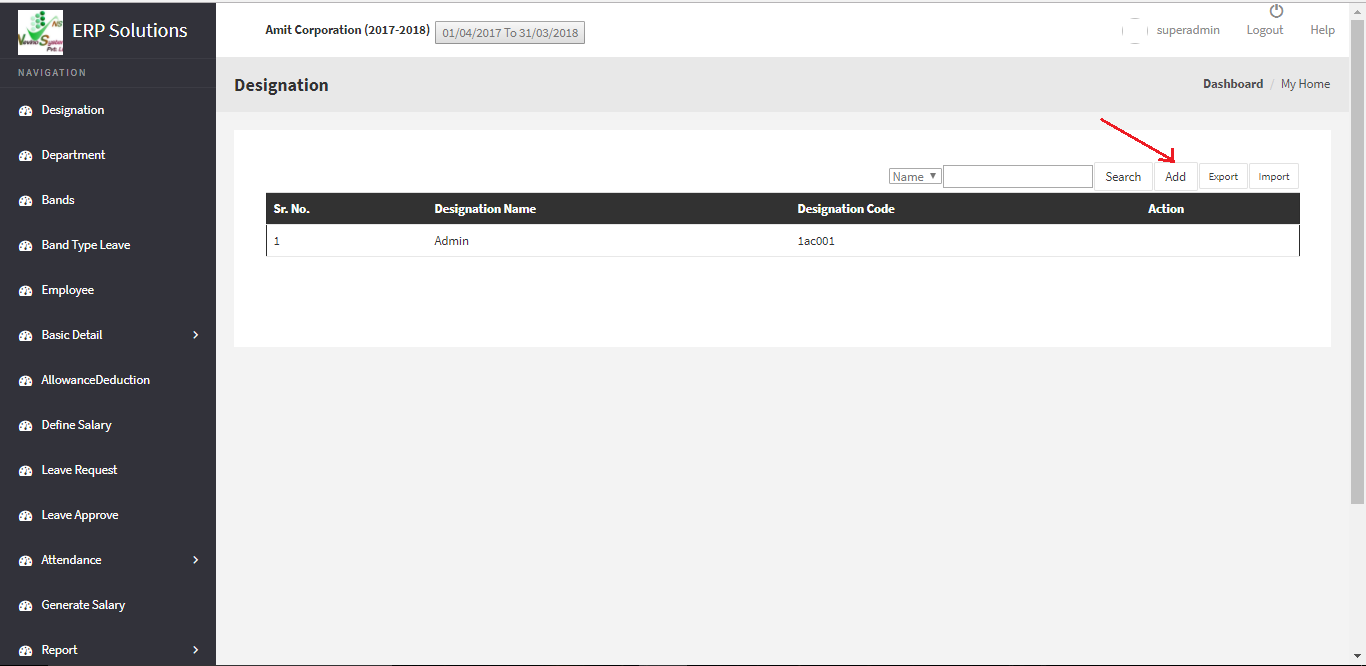
Step 4. This is the ‘Designation’ window of Nevino HR software. Now click on ‘Add’ button as indicated in below image.
hr add designation

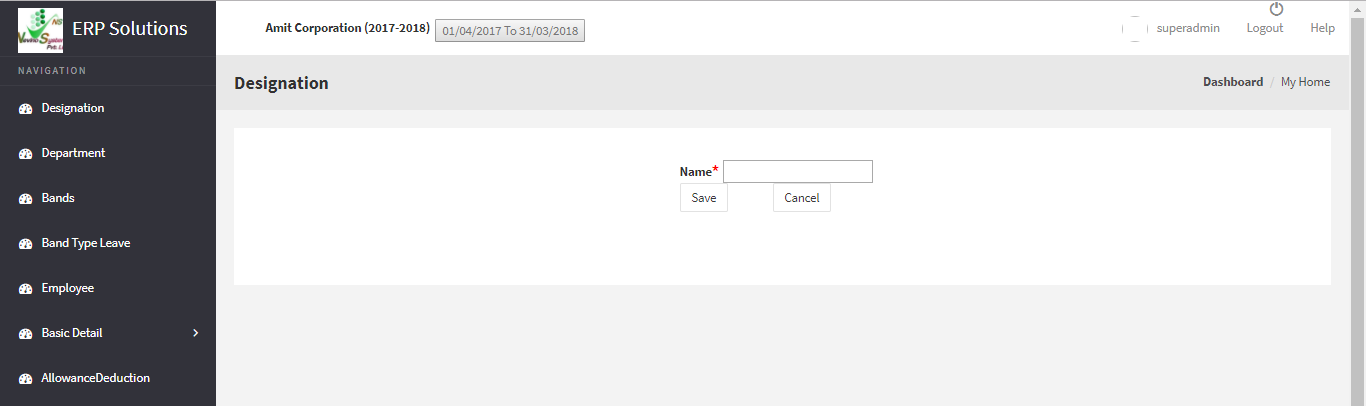
Step 5. On click of ‘Add’ button a new window will appear as shown in below image.
hr enter name

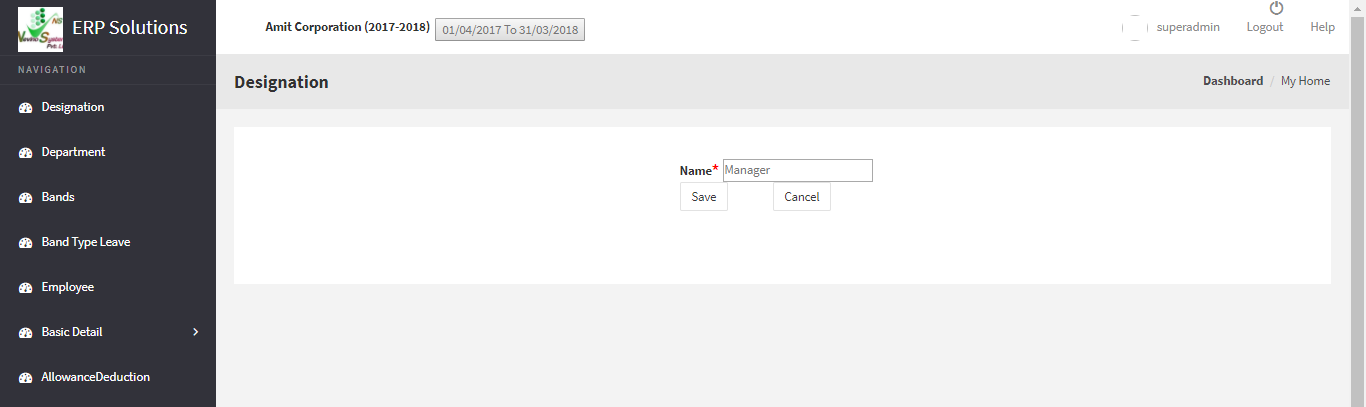
Step 6. Enter name of any designation in the blank box provided with ‘Name’ for example we will add ‘Manager’ as designation name as per below image.
hr name entered

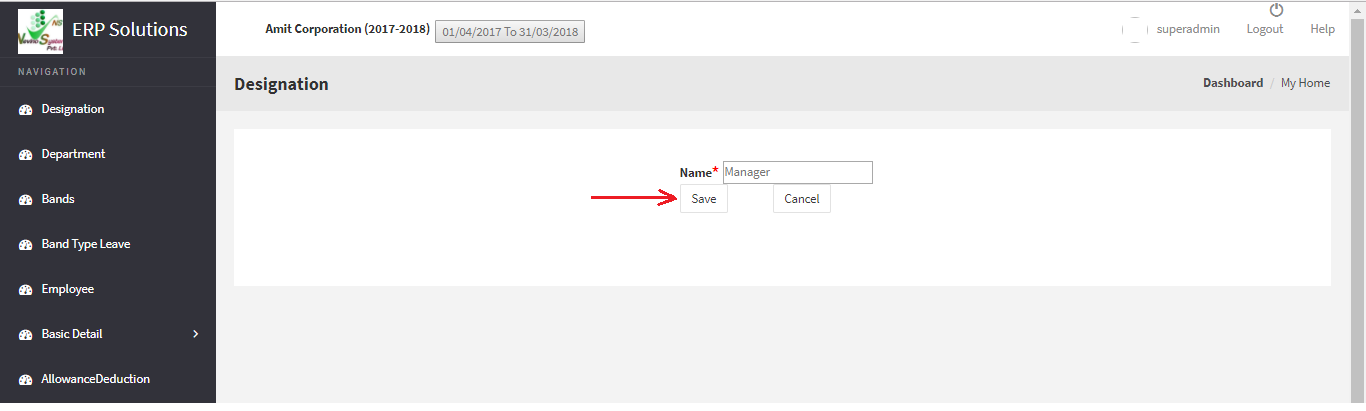
Step 7. When you have entered the designation click on ‘Save’ button as indicated below.
hr designation save button

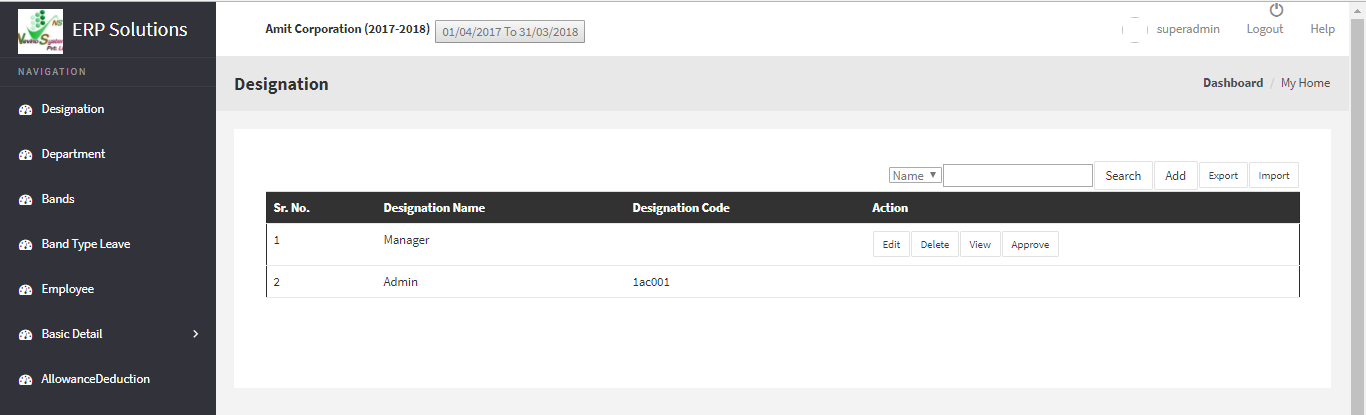
Step 8. When ‘Save’ button is clicked designation will be saved and that designation name will appear on ‘Designation’ window as shown below. In this way you can add ‘Designation’ into the Nevino HR Software.
hr designation created

* The Content stated above is for informational purpose only. Expert Software Team is not responsible if any part of content found meaningless in any manner or condition.

How to Login in Nevino HR Software

From this blog we will start learning about the Nevino HR Software. First we will understand that how we can login to Nevino HR Software. So please follow below mentioned steps to login.

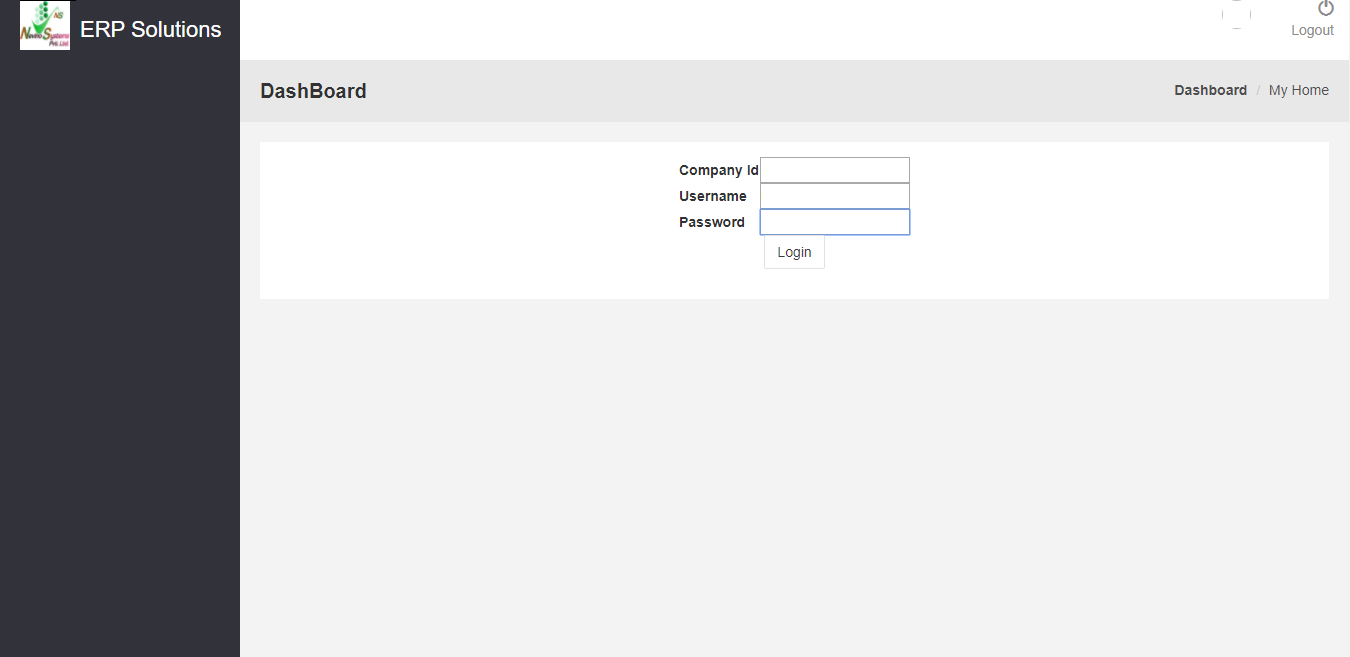
Step 1. When Nevino HR Software is installed by our technical team on your computer system you will find a window as below on your computer screen.
hr login window

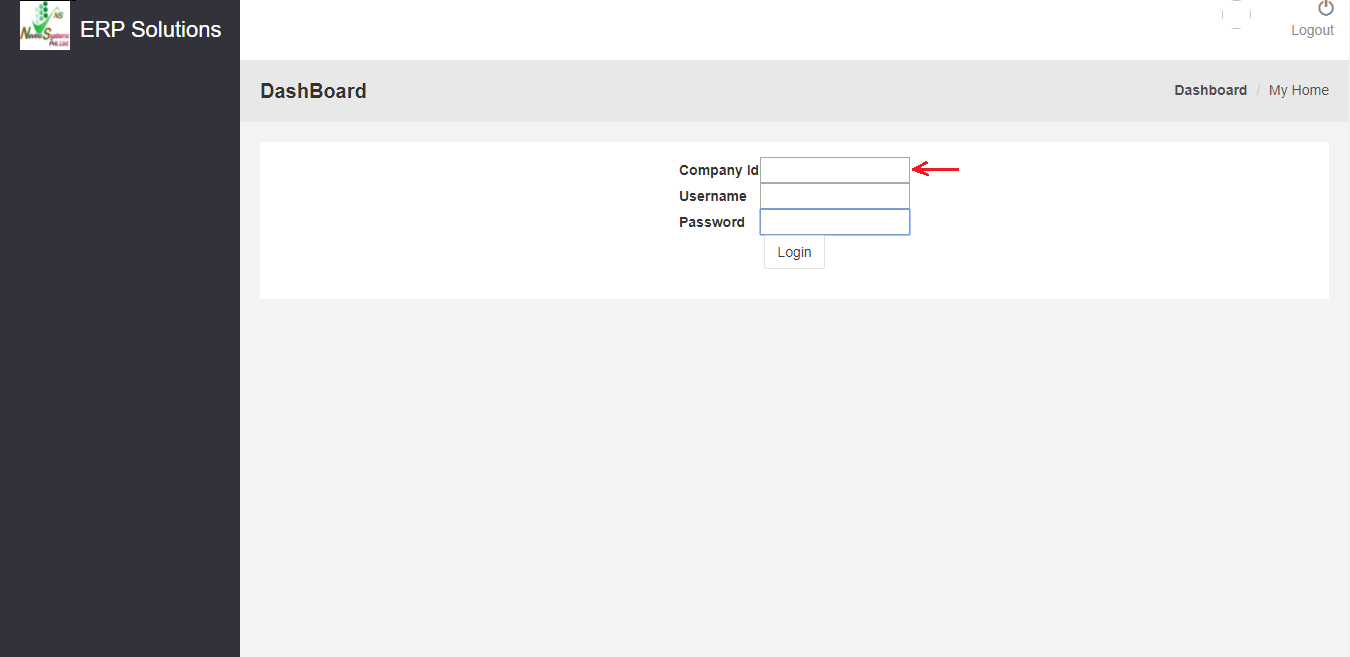
Step 2. In the first box enter the ‘Company ID’ as indicated in the window below.
hr enter company id

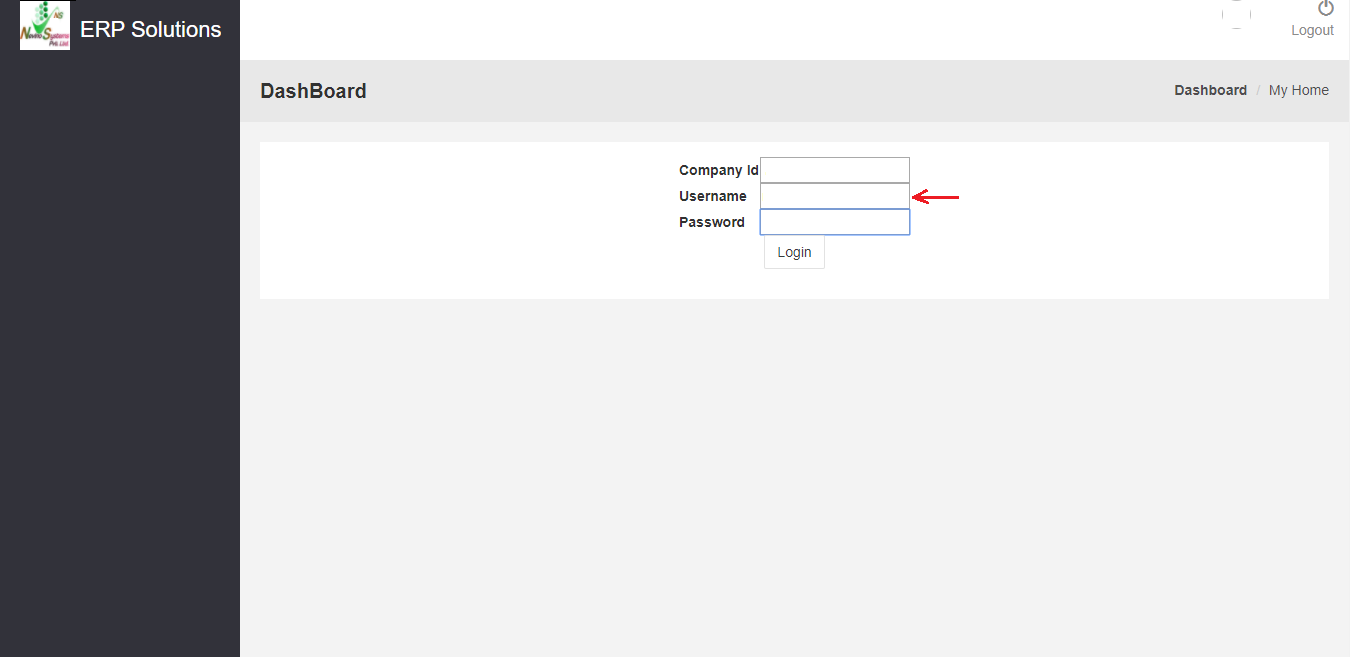
Step 3. In the second box enter the username provided by our technical team as indicated in image below.
hr enter username

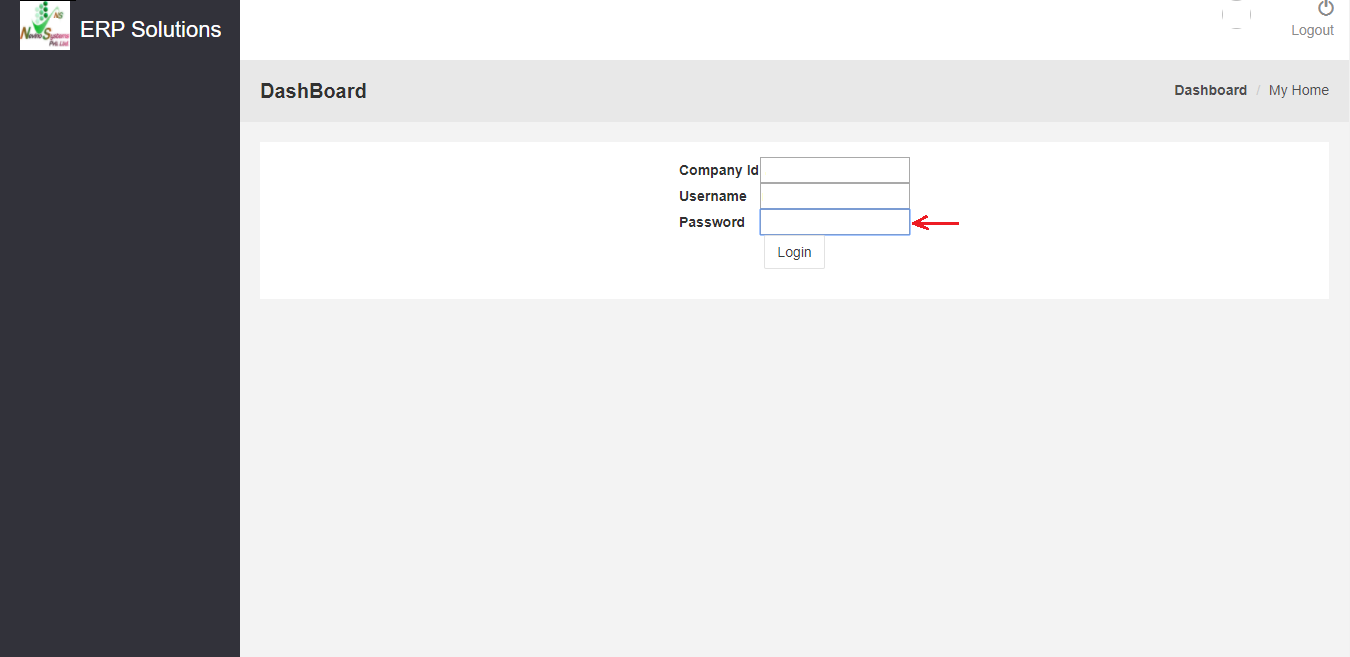
Step 4. In the third box enter the password as indicated in the image below.
hr enter password

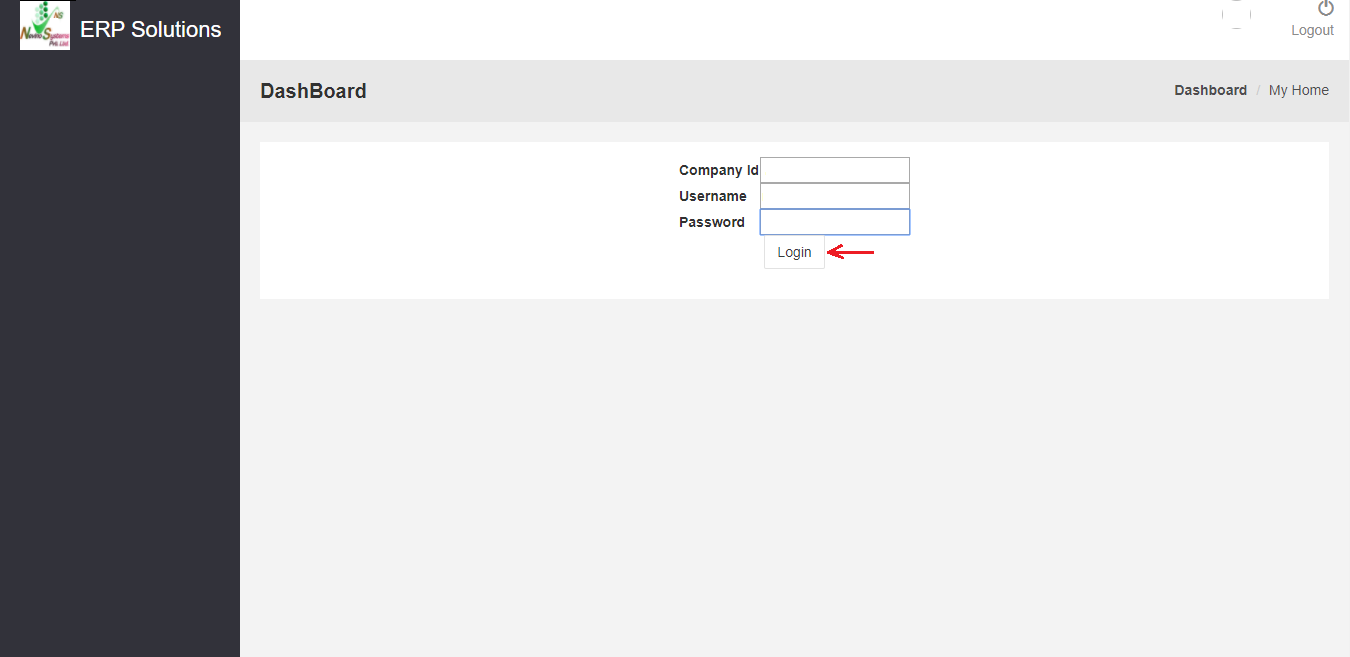
Step 5. Now click on ‘Login’ button and this will complete the login process as per image below.
hr click login button

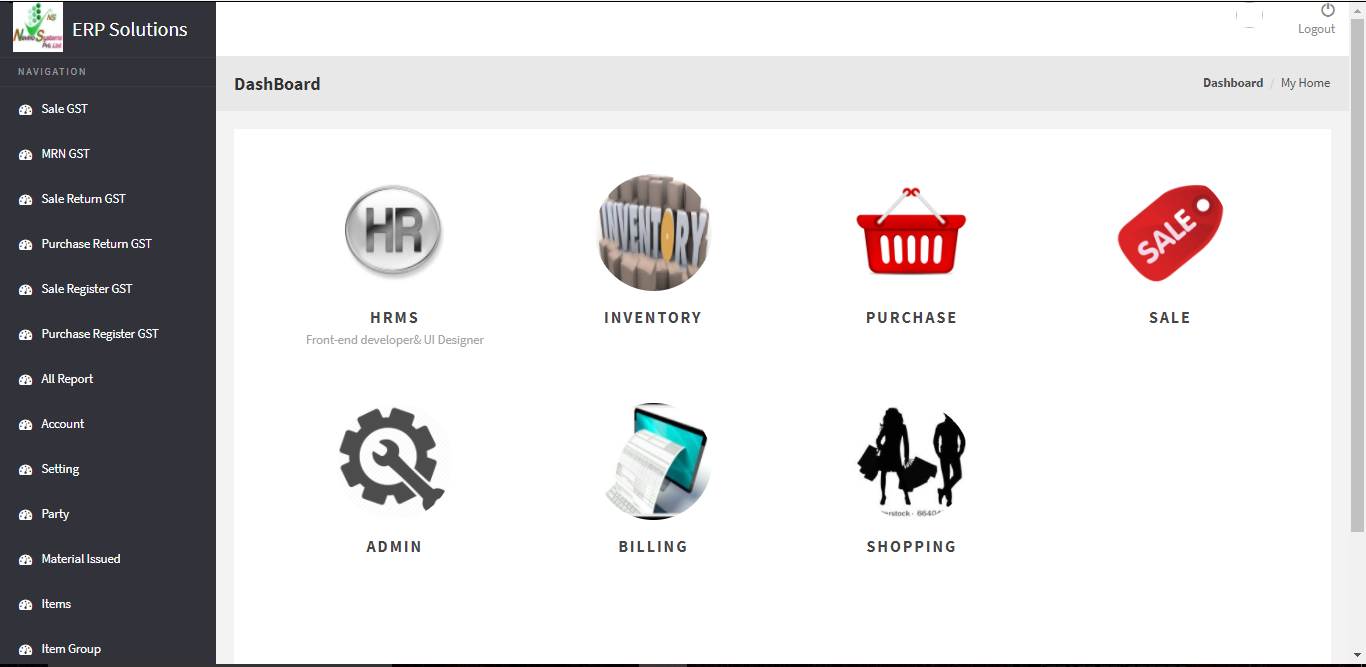
Step 6. After this you will be login to Nevino HR Software and main window of this software will appear as below screen shot.
hr main window

* The Content stated above is for informational purpose only. Expert Software Team is not responsible if any part of content found meaningless in any manner or condition.